使用API更换Cloudflare颁发的通用SSL证书

使用 Cloudflare 的 CDN 后,会自动颁发通用 SSL 证书,目前 Cloudflare 提供四种品牌的证书,分别是 Let’s Encrypt,Google Trust Services,Sectigo 和 DigiCert。

其中 Let’s Encrypt 和 Google Trust Services 提供的是90天有效期的证书,DigiCert 提供的是1年有效期的证书,Sectigo 证书也是90天有效期,但是作为备份证书,通常不会部署,但如果发生证书撤销或密钥泄露,Cloudflare 才会自动部署。
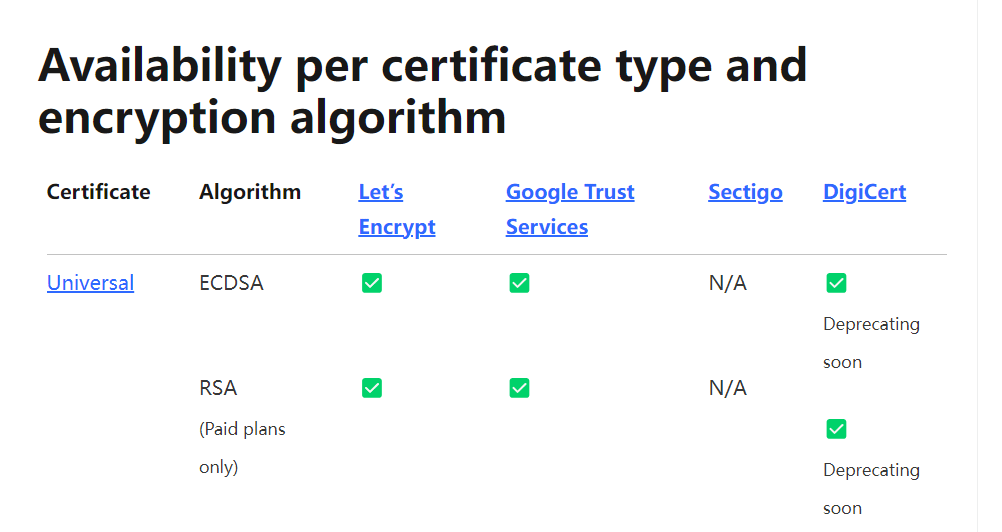
availability

目前 Cloudflare 经常颁发的是 Let’s Encrypt 和 Google Trust Services 的证书,DigiCert 的证书马上就要弃用。

这四家证书中,DigiCert 和 Sectigo 的兼容性非常不错,Google Trust Services 和 Let’s Encrypt 的证书由于比较新,为了保障兼容性,所以都是交叉签名。

现使用 Cloudflare 提供的 API 来更换这些不同品牌的通用 SSL 证书。

1.获取Global API Key

打开https://dash.cloudflare.com/profile/api-tokens链接,获取 key
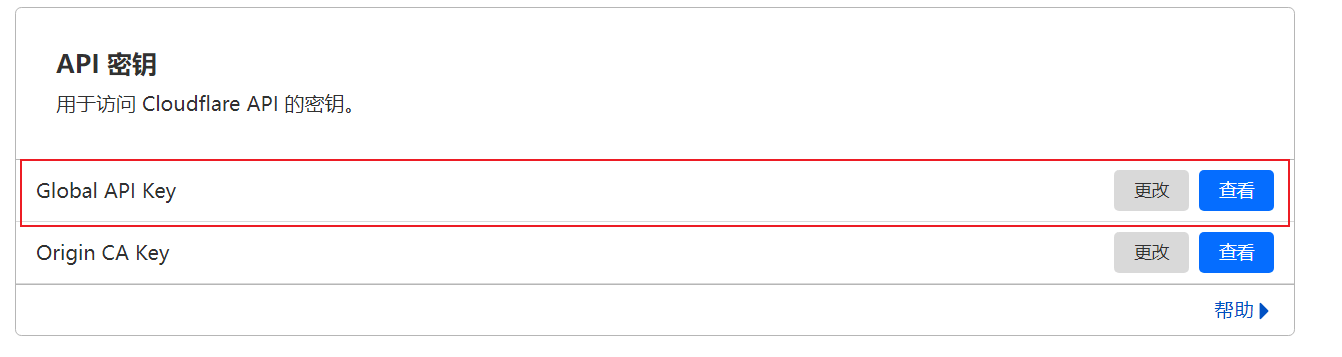
Global API Key

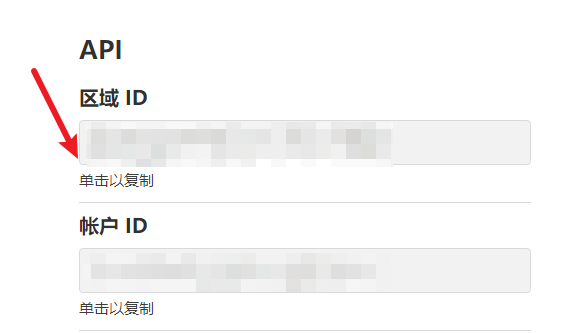
2.获取域名的区域ID

打开域名的详情页,复制区域ID

zone ID

3.使用API进行更换

为使用方便,使用 curl 来进行操作,也可根据 curl 命令来转换为自己熟悉的语言,比如Python。

更换为 DigiCert 证书

1
curl -sX PATCH "https://api.cloudflare.com/client/v4/zones/你的域名区域id/ssl/universal/settings" -H "X-Auth-Email:你的邮箱" -H "X-Auth-Key:你的global api key" -H "Content-Type: application/json" --data "{"certificate_authority":"digicert"}"

更换为 Let’s Encrypt 证书

1
curl -sX PATCH "https://api.cloudflare.com/client/v4/zones/你的域名区域id/ssl/universal/settings" -H "X-Auth-Email:你的邮箱" -H "X-Auth-Key: 你的global api key" -H "Content-Type: application/json" --data "{"certificate_authority":"lets_encrypt"}"

更换为 Google Trust Services 证书

1
curl -sX PATCH "https://api.cloudflare.com/client/v4/zones/你的域名区域id/ssl/universal/settings" -H "X-Auth-Email:你的邮箱" -H "X-Auth-Key:你的global api key" -H "Content-Type: application/json" --data "{"certificate_authority":"google"}"

执行命令得到类似的返回值就代表更换成功

1
{'result': {'enabled': True, 'certificate_authority': 'digicert'}, 'success': True, 'errors': [], 'messages': []}

然后等待几分钟,Cloudflare 会自动重新申请你所要更换的那家品牌证书。